vishu
Members
-
Joined
-
Last visited
Everything posted by vishu
-
 love her





 need good quality, I want this picture on the my desktop
 she has 100% beauty
nice body but not fаce...
need moore. she's very beautiful
she has 100% beauty
nice body but not fаce...
need moore. she's very beautiful



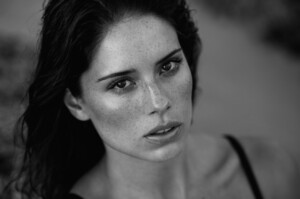 yeah, thanks for the photos she's perfect
and I saw a lot of photos Sarah here https://www.honeybirdette.com/collections/new-lingerie?utm_source=social-instagram&utm_medium=instagram-story&utm_campaign=lookbook&utm_term=lookbook&utm_content=vienna#/
yeah, thanks for the photos she's perfect
and I saw a lot of photos Sarah here https://www.honeybirdette.com/collections/new-lingerie?utm_source=social-instagram&utm_medium=instagram-story&utm_campaign=lookbook&utm_term=lookbook&utm_content=vienna#/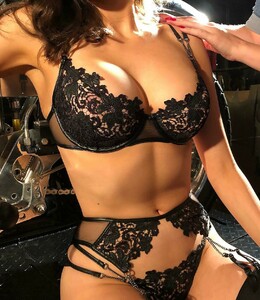

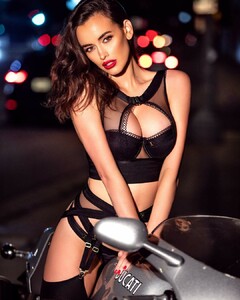
 hot video. need photo from this video
she's for me the best new model what I know from the last times
amazing girl. need moore and need gifs thanks for the topic
thx for the new pics. she's perfect I think
from her Insta
hot video. need photo from this video
she's for me the best new model what I know from the last times
amazing girl. need moore and need gifs thanks for the topic
thx for the new pics. she's perfect I think
from her Insta
 from her instagram she's amazing!
 hottest woman!
amazing updates! thanks for all! about Lauren. is it legal - be so beautiful?
She's amazing! One of the hottest woman in this world for me. Maybe, number one!
I looked at Google at night and found another way - an extension for the browser. Called Instasave. Very easy to use it.
Need more photos from her instagram and other... I don't know how to save pictures from instagram. Sad.
hottest woman!
amazing updates! thanks for all! about Lauren. is it legal - be so beautiful?
She's amazing! One of the hottest woman in this world for me. Maybe, number one!
I looked at Google at night and found another way - an extension for the browser. Called Instasave. Very easy to use it.
Need more photos from her instagram and other... I don't know how to save pictures from instagram. Sad.