Skip to content

Vintage "missing last name" id

Featured Replies

  • Author

KELLY and KRISTIN (not sure which one is which)


054-va-12-scaled.thumb.jpg.e526a69f76518fe3226e2ce9826e0e4d.jpg 054-va-13-scaled.thumb.jpg.3ce93dd65fa71e40395924ef794f8f4a.jpg

  • Author
10 minutes ago, RocketQueen said:

NKEMDILIM


054-va-30-scaled.thumb.jpg.f6277c84c70831a7b39aae902fe214d8.jpg


Nkemdilim Ndefo, just found it.

6 hours ago, RocketQueen said:

ANJI


077-va-23-scaled.thumb.jpg.a4fc114103de2214f9b162a21cd09f66.jpg

Anji Featherstone :flower:

5 hours ago, RocketQueen said:

AMANDA (big pic) and JANE (blonde)


067-va-45-scaled.thumb.jpg.9c1fc5a5c3533fc0c284844e70fa230e.jpg

Both pics are Amanda Deane- I think I've seen the whole layout and she's wearing wigs.

  • Author
9 hours ago, BlueAcadia said:

Anji Featherstone :flower:


Oh, I get it. I have credited as Angela Featherstone, lol!


9 hours ago, BlueAcadia said:

Both pics are Amanda Deane- I think I've seen the whole layout and she's wearing wigs.


Makes sense! Thank you!

2 hours ago, RocketQueen said:

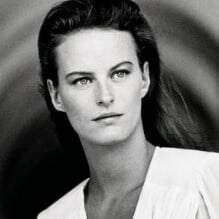
KRISTEN


027-va-21-scaled.thumb.jpg.9714a9fb119d91b21ccdc99de6a0fc3d.jpg

Kristin Dipaltro :flower:

Join the conversation

You can post now and register later. If you have an account, sign in now to post with your account.

Guest
Reply to this topic...

Recently Browsing 0

  • No registered users viewing this page.

Account

Navigation

Search

Search

Configure browser push notifications

Chrome (Android)
  1. Tap the lock icon next to the address bar.
  2. Tap Permissions → Notifications.
  3. Adjust your preference.
Chrome (Desktop)
  1. Click the padlock icon in the address bar.
  2. Select Site settings.
  3. Find Notifications and adjust your preference.