Skip to content

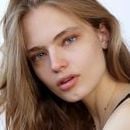
Frederikke Sofie Falbe-Hansen

Featured Replies

^ There you go :flower:


Chloé FW 2016-2017


SpZoTxq3.jpg Image hidden for guestsSign in to view KCu0PUn7.jpg fvPOtkMX.jpg Image hidden for guestsSign in to view ZMgM172M.jpg XMzELPiG.jpg YkWgFEdN.jpg 932lGlG9.jpg LbaPWdsV.jpg MBMxe9qf.jpg Image hidden for guestsSign in to view Image hidden for guestsSign in to view Image hidden for guestsSign in to view hEE2Oy8R.jpg


Double Magazine #31

Ph: Mert&Marcus

Style: Marie Chaix

Hair: Malcolm Edwards

Makeup: Lisa Eldridge


VTHBb51W.jpg JPQE5xZq.jpg 567lQYah.jpg

  • 2 weeks later...

Self Service #44 S/S 2016
Photographers: Inez & Vinoodh
Stylist: Alastair McKimm


Self_Service_Spring_Summer_2016_Inez___Vinoodh_7.jpg 

source: TFS

FALL 2016 READY-TO-WEAR Lanvin

KIM_0109.jpg lanvin-clpa-rf16-9447.jpg lanvin-rf16-2001.jpg 

sources: vogue + theimpression

FALL 2016 READY-TO-WEAR Sies Marjan
28-sies-marjan-fw16.jpg 

source: vogue

FALL 2016 READY-TO-WEAR Brock Collection (O) (C)

_AG10006.jpg _AG10571.jpg brock-collection-rf16-4184.jpg brock-collection-rf16-4775.jpg brock-collection-rf16-4791.jpg brock-collection-rf16-4794.jpg 

sources: vogue + theimpression

Join the conversation

You can post now and register later. If you have an account, sign in now to post with your account.

Guest
Reply to this topic...

Recently Browsing 0

  • No registered users viewing this page.

Account

Navigation

Search

Search

Configure browser push notifications

Chrome (Android)
  1. Tap the lock icon next to the address bar.
  2. Tap Permissions → Notifications.
  3. Adjust your preference.
Chrome (Desktop)
  1. Click the padlock icon in the address bar.
  2. Select Site settings.
  3. Find Notifications and adjust your preference.