Skip to content
View in the app

A better way to browse. Learn more.

Bellazon

A full-screen app on your home screen with push notifications, badges and more.

To install this app on iOS and iPadOS
  1. Tap the Share icon in Safari
  2. Scroll the menu and tap Add to Home Screen.
  3. Tap Add in the top-right corner.
To install this app on Android
  1. Tap the 3-dot menu (⋮) in the top-right corner of the browser.
  2. Tap Add to Home screen or Install app.
  3. Confirm by tapping Install.

Nelly Schamey Pakh

Featured Replies

  • 3 weeks later...
  • 1 month later...
On 7/15/2025 at 2:22 PM, tarsier41 said:

Emporio Armani, f/w 1996

ID provided by parisienne

f96emporioA-10.jpg

Emporio Armani (Milan) f/w 1996 - addition

pakh f96emporioAr-144.jpg pakh f96emporioAr-148.jpg
  • 5 months later...

Viva Yugoslavia June 1995

Scanned by me and for sale

Viva Yugoslavia June 1995 Karen Mulder Tricia Helfer Adriana Karembeu.jpg
  • 2 weeks later...
  • 3 weeks later...

cover AMICA Italy 3. June 1995 #22 - also showing Tara Baglietto, Zora Juranova, Adriana Karembeu

AmitaIT030695no22coverNellyTaraAdrianaZora.webp

source: ebay

  • 1 month later...

Leonard (Paris couture) s/s 1996 Léonard

group s96_Leonard.webp

Janina Davis, Angelica Boss, Tasha Moto Cunha, Laeticia Boudou (Hallyday), Georgianna Robertson, Ingrid Seynhaeve, utm, Rosemarie Wetzel, Tereza Maxova, Valeria Mazza, Amit Machtinger

utm, Janina Davis, Adriana Sklenarikova, Nelly S. Pakh, Tereza Maxova, Rosemarie Wetzel, Georgianna Robertson, Laeticia Boudou (Hallyday), Tasha Moto Cunha, .. Ingrid Seynhaeve
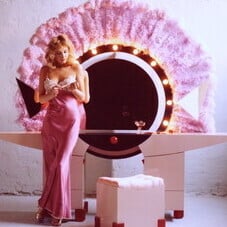
group s96_Leonard-2.webp

Join the conversation

You can post now and register later. If you have an account, sign in now to post with your account.

Guest
Reply to this topic...

Recently Browsing 0

  • No registered users viewing this page.

Account

Navigation

Search

Search

Configure browser push notifications

Chrome (Android)
  1. Tap the lock icon next to the address bar.
  2. Tap Permissions → Notifications.
  3. Adjust your preference.
Chrome (Desktop)
  1. Click the padlock icon in the address bar.
  2. Select Site settings.
  3. Find Notifications and adjust your preference.