Skip to content

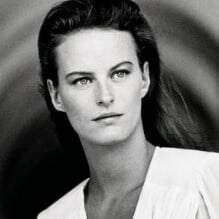
Marleen Drewers

Featured Replies

  • Author

ARIADNE NL, Dec 1987 - PH. UNK - WEB FIND

Ariadne-december-1987.jpg

  • Author

ARIADNE NL, Jul 1988 - PH. UNK - WEB FIND

Ariadne-juli-1988.jpg

  • Author

ARIADNE NL, May 1989 - PH. UNK - WEB FIND

Ariadne-mei-1989-1.jpg

  • Author

ELLE GR, Jul 1989 - PH. PANOS THEOFILOU - MY SCANS

06-MARIECLAIREGR-Jul-1989-m.MarleenDrewers-ph.PanosTheofilou.jpg 07-MARIECLAIREGR-Jul-1989-m.MarleenDrewers-ph.PanosTheofilou.jpg 08-MARIECLAIREGR-Jul-1989-m.MarleenDrewers-ph.PanosTheofilou.jpg 09-MARIECLAIREGR-Jul-1989-m.MarleenDrewers-ph.PanosTheofilou.jpg

10-MARIECLAIREGR-Jul-1989-m.MarleenDrewers-ph.PanosTheofilou.jpg 11-MARIECLAIREGR-Jul-1989-m.MarleenDrewers-ph.PanosTheofilou.jpg 12-MARIECLAIREGR-Jul-1989-m.MarleenDrewers-ph.PanosTheofilou.jpg 13-MARIECLAIREGR-Jul-1989-m.MarleenDrewers-ph.PanosTheofilou.jpg

Join the conversation

You can post now and register later. If you have an account, sign in now to post with your account.

Guest
Reply to this topic...

Recently Browsing 0

  • No registered users viewing this page.

Account

Navigation

Search

Search

Configure browser push notifications

Chrome (Android)
  1. Tap the lock icon next to the address bar.
  2. Tap Permissions → Notifications.
  3. Adjust your preference.
Chrome (Desktop)
  1. Click the padlock icon in the address bar.
  2. Select Site settings.
  3. Find Notifications and adjust your preference.