Cantor
Members
-
Joined
-
Last visited
Everything posted by Cantor
-
 Compliments of The Artist of ChilaX: Please, avoid hotlinking. Thank you - QBall
 -
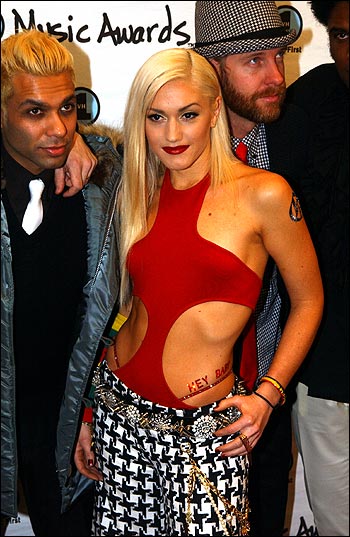
She looked so hot in this outfit that she wore to the American Music Awards a couple of years ago:
 No problem. I hope to be able to replicate what threads I had created earlier. I'm not sure what happened to them with the switch to a new system. I was told that they were archived but I don't see them here.
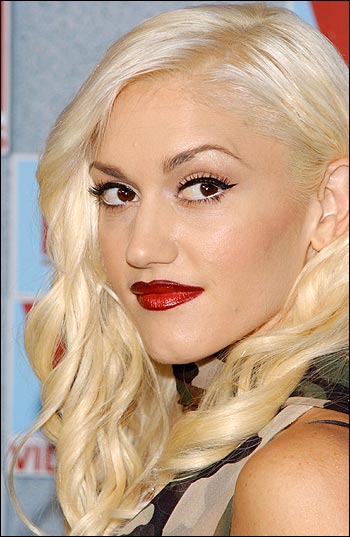
Three of the best pics ever taken of Jessica!!!
Awesome abs!!! CUTE!!!
Courtesy of The Artist of ChilaX.com Wallpapers of all shapes and sizes
Gwen Stefani was born in Orange County, California on October 3, 1969. As she was growing up she was strongly influenced by "ska" and "punk" music. She grew up with her Mom, Dad, two brothers(Eric, and Todd), and one sister, Jill. When Gwen graduated from high school she attented "Cal State Fullerton College". Her band "No Doubt" was started by her brother Eric Stefani, and a friend of his John Spence in 1987. Gwen joined later on as lead singer. Even later, Tony, Adrian, and Tom joined the band. They released their first album "No Doubt" in 1992.... Official - http://www.nodoubt.com/ Fansite - http://www.geocities.com/gwenstefaniplanet/ Site - http://www.absolutedivas.com/gwen/
No problem. I hope to be able to replicate what threads I had created earlier. I'm not sure what happened to them with the switch to a new system. I was told that they were archived but I don't see them here.
Three of the best pics ever taken of Jessica!!!
Awesome abs!!! CUTE!!!
Courtesy of The Artist of ChilaX.com Wallpapers of all shapes and sizes
Gwen Stefani was born in Orange County, California on October 3, 1969. As she was growing up she was strongly influenced by "ska" and "punk" music. She grew up with her Mom, Dad, two brothers(Eric, and Todd), and one sister, Jill. When Gwen graduated from high school she attented "Cal State Fullerton College". Her band "No Doubt" was started by her brother Eric Stefani, and a friend of his John Spence in 1987. Gwen joined later on as lead singer. Even later, Tony, Adrian, and Tom joined the band. They released their first album "No Doubt" in 1992.... Official - http://www.nodoubt.com/ Fansite - http://www.geocities.com/gwenstefaniplanet/ Site - http://www.absolutedivas.com/gwen/
Account
Navigation
Search
Configure browser push notifications
Chrome (Android)
- Tap the lock icon next to the address bar.
- Tap Permissions → Notifications.
- Adjust your preference.
Chrome (Desktop)
- Click the padlock icon in the address bar.
- Select Site settings.
- Find Notifications and adjust your preference.
Safari (iOS 16.4+)
- Ensure the site is installed via Add to Home Screen.
- Open Settings App → Notifications.
- Find your app name and adjust your preference.
Safari (macOS)
- Go to Safari → Preferences.
- Click the Websites tab.
- Select Notifications in the sidebar.
- Find this website and adjust your preference.
Edge (Android)
- Tap the lock icon next to the address bar.
- Tap Permissions.
- Find Notifications and adjust your preference.
Edge (Desktop)
- Click the padlock icon in the address bar.
- Click Permissions for this site.
- Find Notifications and adjust your preference.
Firefox (Android)
- Go to Settings → Site permissions.
- Tap Notifications.
- Find this site in the list and adjust your preference.
Firefox (Desktop)
- Open Firefox Settings.
- Search for Notifications.
- Find this site in the list and adjust your preference.