-
-
The 2016 Victoria's Secret Fashion Show
Runway pics are on getty!
-
The 2016 Victoria's Secret Fashion Show
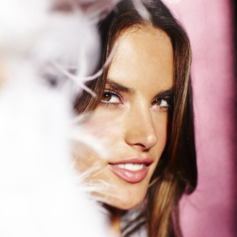
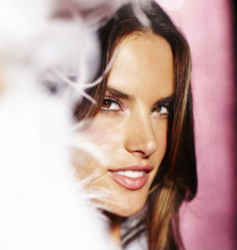
omg her lips I can't
-
The 2016 Victoria's Secret Fashion Show
- The 2016 Victoria's Secret Fashion Show
^ikr lmao She's like a child, I love it- The 2016 Victoria's Secret Fashion Show
- The 2016 Victoria's Secret Fashion Show
I guess the first show is going to be around 5 or 6pm for the sky to be dark since the roof is made of glass the light will go trough if it's still sunny outside, and from what they've said, they want the show to be by night. So it will definitely not be at 3 or 4pm this time.- The 2016 Victoria's Secret Fashion Show
^^Cindy Bruna is French as well.- The 2016 Victoria's Secret Fashion Show
I love it! I think it's really sexy and the lingerie is beautiful.- The 2016 Victoria's Secret Fashion Show
Weird... Thanks for clarifying.- The 2016 Victoria's Secret Fashion Show
I saw somewhere that's karlie confirmed she's walking on Spanish television when she was in Madrid.- The 2016 Victoria's Secret Fashion Show
But why are you guys trying to figure out who are the girls on the board when we already know the all cast?- The 2016 Victoria's Secret Fashion Show
Irina is the black and white picture in the last row, it's her latest Vogue Russia cover.- The 2016 Victoria's Secret Fashion Show
^I also thought she was throwing shades at VS but she's actually not lol The "it's shameless to discuss women's bodies just to sell papers" is addressed to The Sun.- The 2016 Victoria's Secret Fashion Show
No she's not, that's why she added an heart next to VS because what The Sun said was false and she's showing Ed's message to prove it.- The 2016 Victoria's Secret Fashion Show
Yes sure, I could help! - The 2016 Victoria's Secret Fashion Show
Account
Navigation
Search
Configure browser push notifications
Chrome (Android)
- Tap the lock icon next to the address bar.
- Tap Permissions → Notifications.
- Adjust your preference.
Chrome (Desktop)
- Click the padlock icon in the address bar.
- Select Site settings.
- Find Notifications and adjust your preference.
Safari (iOS 16.4+)
- Ensure the site is installed via Add to Home Screen.
- Open Settings App → Notifications.
- Find your app name and adjust your preference.
Safari (macOS)
- Go to Safari → Preferences.
- Click the Websites tab.
- Select Notifications in the sidebar.
- Find this website and adjust your preference.
Edge (Android)
- Tap the lock icon next to the address bar.
- Tap Permissions.
- Find Notifications and adjust your preference.
Edge (Desktop)
- Click the padlock icon in the address bar.
- Click Permissions for this site.
- Find Notifications and adjust your preference.
Firefox (Android)
- Go to Settings → Site permissions.
- Tap Notifications.
- Find this site in the list and adjust your preference.
Firefox (Desktop)
- Open Firefox Settings.
- Search for Notifications.
- Find this site in the list and adjust your preference.