MarVS2
Members
-
Joined
-
Last visited
Everything posted by MarVS2
-
 Nina Agdal, Jack Brinkley Cook & Alexa Ray Joel host Christie Brinkley's Bellissima Bambini launch presented by the Lincoln Motor Company at the surf lounge yesterday.... also was there Hannah Ferguson and Hailey Clauson ( sorry for the watermarks)























-
thanksu so much guys the galia pics
-
https://www.instagram.com/p/BkizF2WB3E5/?taken-by=galialahav https://www.instagram.com/p/BkkYc9vBMTi/?taken-by=galialahav
-
adore the concept and fits and i adore the fake wings too but only for holiday stuff i guess
-
Is lily leaving announcement soon?.... she better lol i need Hanna Edwinson and Lini Kennedy white walls shots at least
haha no way i think she looks so good
She looks amazing @Clauds
Galia Lahav - Queen of hearts
 she looks so so good very impressed in Galia lahav stuff
@peroxideblonde Nina looks so bomb for Galia, get ready for my new signature hun lol
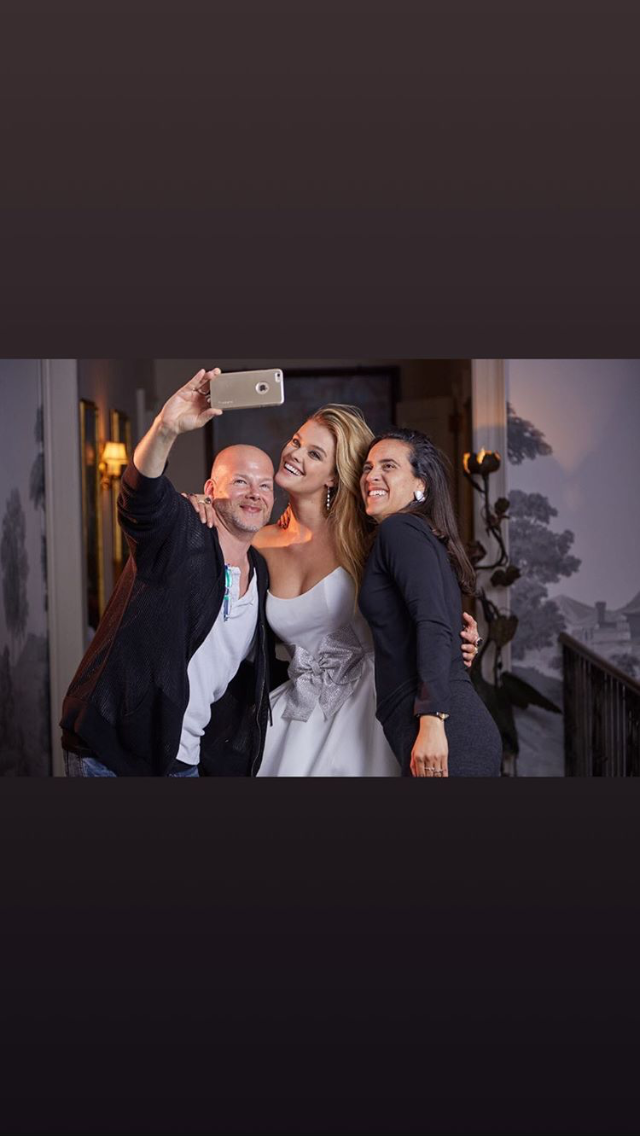
BTS of the Galia Lahav new campaign
she looks so so good very impressed in Galia lahav stuff
@peroxideblonde Nina looks so bomb for Galia, get ready for my new signature hun lol
BTS of the Galia Lahav new campaign




Account
Navigation
Search
Configure browser push notifications
Chrome (Android)
- Tap the lock icon next to the address bar.
- Tap Permissions → Notifications.
- Adjust your preference.
Chrome (Desktop)
- Click the padlock icon in the address bar.
- Select Site settings.
- Find Notifications and adjust your preference.
Safari (iOS 16.4+)
- Ensure the site is installed via Add to Home Screen.
- Open Settings App → Notifications.
- Find your app name and adjust your preference.
Safari (macOS)
- Go to Safari → Preferences.
- Click the Websites tab.
- Select Notifications in the sidebar.
- Find this website and adjust your preference.
Edge (Android)
- Tap the lock icon next to the address bar.
- Tap Permissions.
- Find Notifications and adjust your preference.
Edge (Desktop)
- Click the padlock icon in the address bar.
- Click Permissions for this site.
- Find Notifications and adjust your preference.
Firefox (Android)
- Go to Settings → Site permissions.
- Tap Notifications.
- Find this site in the list and adjust your preference.
Firefox (Desktop)
- Open Firefox Settings.
- Search for Notifications.
- Find this site in the list and adjust your preference.