
tigerrr
Members
-
Joined
-
Last visited
Everything posted by tigerrr
-
Julia Garner – Arriving at Chateau Marmont 01/05/2024







-
-
Angourie Rice Arrives at NBC’s Today Show in New York 01/08/2024







-
SOPHIE THATCHER at 2024 Astra TV Awards in Los Angeles 01/08/2024







-
Natalie Portman at Netflix’s 2024 Golden Globe After Party at Spago in Beverly Hills 01/07/2024




 Julia Garner – W Magazine Best Performances Issue January 2024
 Amy Poehler and Aubrey Plaza on a Park Bench in Manhattan’s West Village 12/29/2023




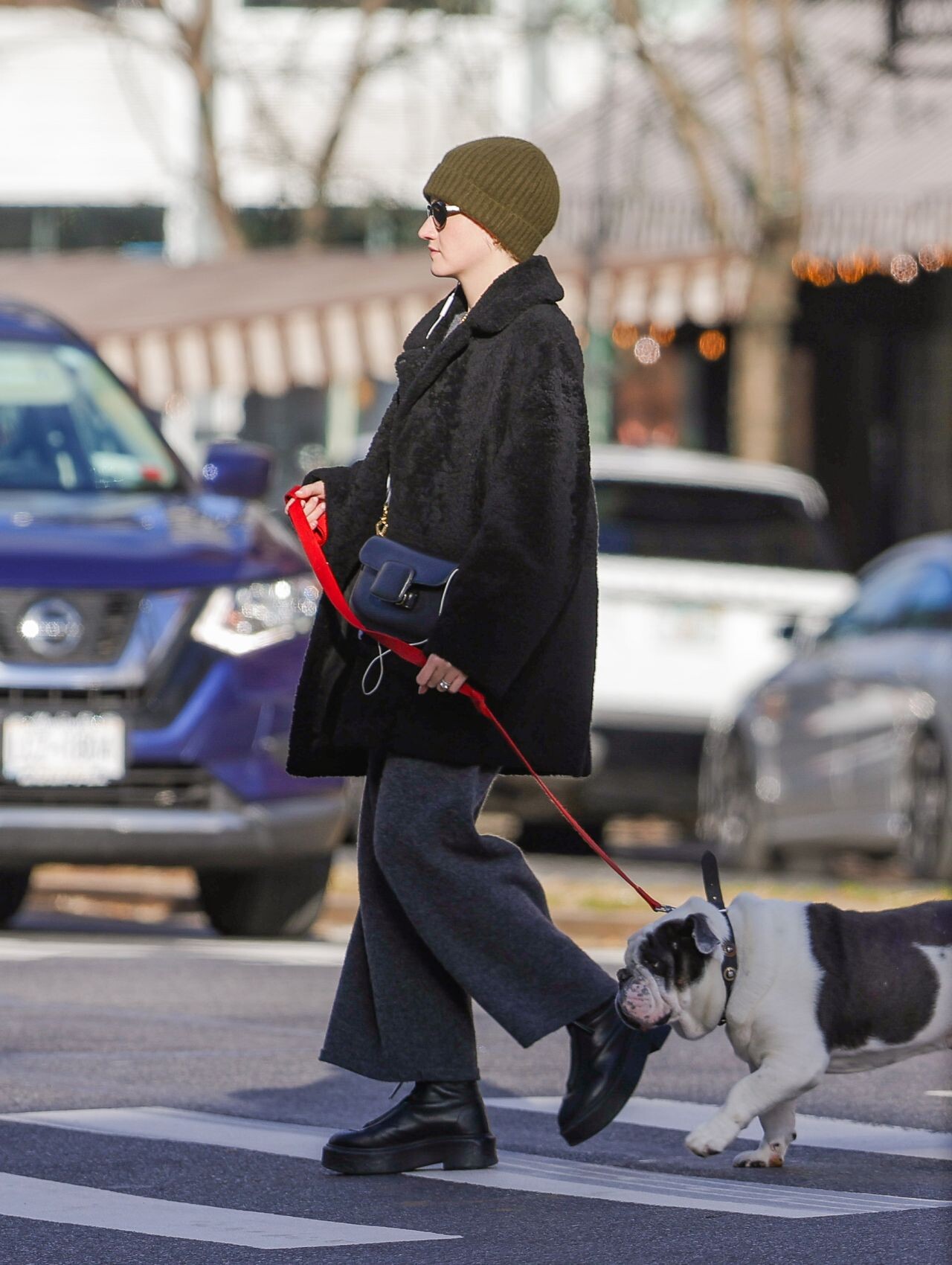
 Julia Garner – Walks Her Dog in New York City 12/19/2023




 Lucy Hale – Last Minute Christmas Shopping in West Hollywood 12/23/2023





 Natalie Portman at JFK in New York 12/30/2023




 Aubrey Plaza Arrives for Her Matinee Performance of “Danny and the Deep Blue Sea” in NY 01/03/2024


 ZOEY DEUTCH Out at Sunset Plaza in West Hollywood 2/26/2023





 December 14 - LVMH's Life 360 Summit
















 Aubrey Plaza – Out in NYC 12/30/2023


 Lucy Hale Street Style – Studio City 12/22/2023





 Aubrey Plaza at Via Carota in NYC 12/28/2023












































































































































Account
Search
Configure browser push notifications
Chrome (Android)
- Tap the lock icon next to the address bar.
- Tap Permissions → Notifications.
- Adjust your preference.
Chrome (Desktop)
- Click the padlock icon in the address bar.
- Select Site settings.
- Find Notifications and adjust your preference.
Safari (iOS 16.4+)
- Ensure the site is installed via Add to Home Screen.
- Open Settings App → Notifications.
- Find your app name and adjust your preference.
Safari (macOS)
- Go to Safari → Preferences.
- Click the Websites tab.
- Select Notifications in the sidebar.
- Find this website and adjust your preference.
Edge (Android)
- Tap the lock icon next to the address bar.
- Tap Permissions.
- Find Notifications and adjust your preference.
Edge (Desktop)
- Click the padlock icon in the address bar.
- Click Permissions for this site.
- Find Notifications and adjust your preference.
Firefox (Android)
- Go to Settings → Site permissions.
- Tap Notifications.
- Find this site in the list and adjust your preference.
Firefox (Desktop)
- Open Firefox Settings.
- Search for Notifications.
- Find this site in the list and adjust your preference.