Skip to content

Zoe Nieuw

Featured Replies

  • Author

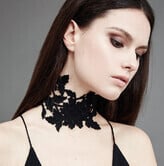
Kianna Magelaki Collection 

46F5B7FB-9986-4940-A128-06B65BF9FBA5.png B640E7C9-0D8C-4577-8D1C-6C3C5F938DCD.jpeg 54FE7CF8-0C33-45B1-930E-E7C73D77467B.jpeg 8FD9F529-8D3B-4C26-A8D2-F902BB1606BE.jpeg 8930485F-4477-4504-BAFA-639468B49BAE.jpeg 96078DDA-097F-47AD-B9E9-6B528A2A3F1C.jpeg 46009164-49C7-47D7-A509-0D8DAF416D04.jpeg AA41C590-9DE3-4358-AFE4-024875F5CF4E.jpeg

Join the conversation

You can post now and register later. If you have an account, sign in now to post with your account.

Guest
Reply to this topic...

Recently Browsing 0

  • No registered users viewing this page.

Account

Navigation

Search

Search

Configure browser push notifications

Chrome (Android)
  1. Tap the lock icon next to the address bar.
  2. Tap Permissions → Notifications.
  3. Adjust your preference.
Chrome (Desktop)
  1. Click the padlock icon in the address bar.
  2. Select Site settings.
  3. Find Notifications and adjust your preference.