Skip to content
View in the app

A better way to browse. Learn more.

Bellazon

A full-screen app on your home screen with push notifications, badges and more.

To install this app on iOS and iPadOS
  1. Tap the Share icon in Safari
  2. Scroll the menu and tap Add to Home Screen.
  3. Tap Add in the top-right corner.
To install this app on Android
  1. Tap the 3-dot menu (⋮) in the top-right corner of the browser.
  2. Tap Add to Home screen or Install app.
  3. Confirm by tapping Install.

Alexandra Nefedova

Featured Replies

Alexandra Nefedova

Portugal, Russia

Agency: WeAreModels - Portugal  UniQue - United Kingdom  Mega Models - Spain

High: 1,75m

Eyes: Blue

Hair: Blonde

81-63-89

Shoes: 38 / 8
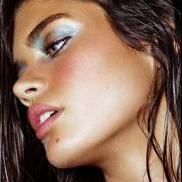
 

1381797_10201559712867757_610336039_n.jpg

  • Author

A.Nefedova  editorial for Fucsia Magazine Colombia

1558436_625578200873793_4133775042415216528_n.jpg

10345574_625578227540457_8029675404235870747_n.jpg

10616451_625578220873791_8304617524007521106_n.jpg

10626452_625578257540454_5965081879935890927_n.jpg

Join the conversation

You can post now and register later. If you have an account, sign in now to post with your account.

Guest
Reply to this topic...

Recently Browsing 0

  • No registered users viewing this page.

Account

Navigation

Search

Search

Configure browser push notifications

Chrome (Android)
  1. Tap the lock icon next to the address bar.
  2. Tap Permissions → Notifications.
  3. Adjust your preference.
Chrome (Desktop)
  1. Click the padlock icon in the address bar.
  2. Select Site settings.
  3. Find Notifications and adjust your preference.