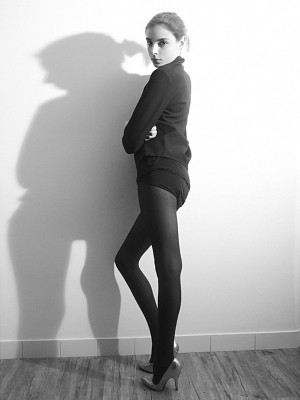
-
-
Chrystal Copland
Oh one more thing...haha I discovered just then she's in Japan working at the moment.
-
Chrystal Copland
few more... if anyone has some please post thanks ...or any more info? chrys15.bmp chrys17.bmp chrys25.bmp chrys15.bmp chrys17.bmp chrys25.bmp
-
Chrystal Copland
-
Chrystal Copland
-
Chrystal Copland
- Chrystal Copland
- Chrystal Copland
Age: 17 Australian Agency: Ragazza Stats: 31 - 24 - 34 I think she has the potential to go quite far. Next big thing out of Australia?- Jessica Marshall
- Jessica Marshall
I think she has a great face- Jessica Marshall
Boss model management Model from England Age: 19 Stats: 33 - 23 - 33 Height: 173cmmingmong started following Jessica Marshall- Euphrasie Villalard
- Chrystal Copland
ill try to get more pics- Chrystal Copland
hahah yeah a little bit- Chrystal Copland
sorry I don't have a lot of info. ALthough I have seen some more photos.- Linda Vojtova
very pretty xoxox - Chrystal Copland

mingmong
Members
-
Joined
-
Last visited
Account
Navigation
Search
Configure browser push notifications
Chrome (Android)
- Tap the lock icon next to the address bar.
- Tap Permissions → Notifications.
- Adjust your preference.
Chrome (Desktop)
- Click the padlock icon in the address bar.
- Select Site settings.
- Find Notifications and adjust your preference.
Safari (iOS 16.4+)
- Ensure the site is installed via Add to Home Screen.
- Open Settings App → Notifications.
- Find your app name and adjust your preference.
Safari (macOS)
- Go to Safari → Preferences.
- Click the Websites tab.
- Select Notifications in the sidebar.
- Find this website and adjust your preference.
Edge (Android)
- Tap the lock icon next to the address bar.
- Tap Permissions.
- Find Notifications and adjust your preference.
Edge (Desktop)
- Click the padlock icon in the address bar.
- Click Permissions for this site.
- Find Notifications and adjust your preference.
Firefox (Android)

- Go to Settings → Site permissions.
- Tap Notifications.
- Find this site in the list and adjust your preference.
Firefox (Desktop)

- Open Firefox Settings.
- Search for Notifications.
- Find this site in the list and adjust your preference.