akatosh
Members
-
Joined
-
Last visited
Everything posted by akatosh
-
 So cute 🤭😍
 -
Leonardo DiCaprio looks to nab several Screen Actors Guild Award records with ‘Killers of the Flower Moon’ Movie stars are a thing of the past, a relic of an era of Hollywood that simply no longer exists. But there are still a few performers who have the draw and the talent to be considered as such. Leonardo DiCaprio is one of them, and his list of achievements looks to grow yet again following the release of his latest project, “Killers of the Flower Moon.” The engrossing film, which is based on David Grann’s 2017 non-fiction book of the same name, details a series of murders during the 1920s after oil was discovered on Osage land. DiCaprio stars as Ernest Burkhart, the permanently frowning nephew of Robert De Niro’s William Hale, a crime lord masquerading as a friend of the Osage who pulls Ernest into his murderous scheme to steal Osage headrights by having him marry Lily Gladstone’s Mollie Kyle. The film marks DiCaprio’s sixth collaboration with Martin Scorsese (it is De Niro’s 10th). He has twice been nominated by the Screen Actors Guild Awards for his performances in the prolific director’s work, and with his well-received turn here, he has the opportunity to score a third and tie multiple records while setting a new one in the process. SEE ‘Killers of the Flower Moon’: Will Scorsese’s history directing actors to Oscar nominations continue? On the individual award front, a bid this year would allow DiCaprio to tie Denzel Washington for the most nominations in lead actor at six. He earned his first for his portrayal of reclusive business magnate Howard Hughes in Scorsese’s 2004 film “The Aviator.” He followed that with a nomination for the 2006 political thriller “Blood Diamond” (that same year, his performance as an undercover cop in Scorsese’s Oscar-winning crime drama “The Departed” earned him a supporting actor nom as well). Five years later, DiCaprio earned his third nomination for lead actor, this time for portraying the eponymous role in Clint Eastwood’s 2011 biographical film “J. Edgar.” His next bid, for Alejandro G. Iñárritu’s harrowing 2015 movie “The Revenant,” would bring him his first — and so far only — win in the category. DiCaprio’s most recent nomination is for drinking margaritas out of a blender his memorable turn as an actor whose career is on the downswing in Quentin Tarantino’s 2019 dramedy “Once Upon a Time in Hollywood.” Because of his supporting actor nomination for “The Departed,” a nom for “Killers of the Flower Moon” would also put DiCaprio in sole possession of the male individual record at seven. It seems likely to happen; he currently sits in second place at 4/1 in Gold Derby’s odds, trailing only Irish actor Cillian Murphy (18/5 odds), his one-time co-star in Christopher Nolan’s mind-bending 2010 film “Inception” and the star of this summer’s “Oppenheimer” (also from Nolan). “Maestro’s” Bradley Cooper (third, 9/2 odds), “Rustin’s” Colman Domingo (fourth, 6/1 odds) and “The Holdover’s” Paul Giamatti (fifth, 13/2 odds) look poised to join them in the Best Actor race. Elsewhere, “Oppenheimer” also leads Gold Derby’s odds for film ensemble at 69/20, but “Killers of the Flower Moon” looks to be in good shape to snag a nomination too. It is in third place (9/2 odds) behind Greta Gerwig’s “Barbie” (4/1 odds), while “Poor Things” (11/2 odds) and “The Color Purple” (10/1 odds) round out the top five. Another ensemble bid would allow DiCaprio to tie two of his former co-stars for the most ensemble nominations by a performer. Cate Blanchett, who appeared opposite DiCaprio in “The Aviator” and took home the SAG Award for supporting actress, and Brad Pitt, who won supporting actor for “Once Upon a Time in Hollywood,” both have seven nominations apiece. DiCaprio’s previous ensemble noms are for “Marvin’s Room” (1996), “Titanic” (1997), “The Aviator”, “The Departed,” “Once Upon a Time in Hollywood” and “Don’t Look Up” (2021). To date, DiCaprio remains winless in the ensemble race, a surprising and sobering statistic he shares with Russell Crowe and Meryl Streep. https://www.goldderby.com/article/2023/leonardo-dicaprio-killers-of-the-flower-moon-sag-records/ ‘Killers of the Flower Moon’ To Receive Vanguard Award at the Palm Springs International Film Awards The Palm Springs International Film Awards has announced that Killers of the Flower Moon is the recipient of the Vanguard Award. The Vanguard Award is a group honor distinguishing a film’s cast and director in recognition of their collective work on an exceptional film project. The award will be presented to Academy Award-winning director Martin Scorsese, Academy Award winner and Executive Producer Leonardo DiCaprio and Gotham Award nominee Lily Gladstone, all of whom will be in attendance. The Film Awards will take place on January 4, 2024, at the Palm Springs Convention Center, with the festival running through January 15, 2024. The event will be sponsored by Entertainment Tonight and IHG Hotels & Resorts. “Killers of the Flower Moon is a powerful and important film not only for its cinematic poetry, but also as a complicated story about the suspicious murders of members of the Osage Nation, one which fully illustrates the evils of racism and corruption. Directed by Martin Scorsese, the film features a powerhouse ensemble performance by Leonardo DiCaprio, Robert De Niro, Lily Gladstone, Jesse Plemons and Tantoo Cardinal making it the must-see film of the year,” said Festival Chairman Nachhattar Singh Chandi. “It is our honor to present the Vanguard Award to Killers of the Flower Moon.” Past recipients of the Vanguard Award include Academy Award Best Picture winners Green Book and The Shape of Water as well as Best Picture nominees Belfast, La La Land, Little Miss Sunshine, The Fablemans and The Trial of the Chicago 7. From Apple Original Films, Killers of the Flower Moon is an epic western crime saga, where real love crosses paths with unspeakable betrayal. Based on a true story and told through the improbable romance of Ernest Burkhart (Leonardo DiCaprio) and Mollie Kyle (Lily Gladstone), Killers of the Flower Moon tracks the suspicious murders of members of the Osage Nation, who became some of the richest people in the world overnight after oil was discovered underneath their land. Killers of the Flower Moon also stars Robert De Niro and Jesse Plemons, and is directed by Academy Award winner Martin Scorsese from a screenplay by Eric Roth and Martin Scorsese, based on David Grann’s best-selling book. The film is produced by Dan Friedkin p.g.a, Bradley Thomas p.g.a, Martin Scorsese p.g.a. and Daniel Lupi p.g.a. The film features an original score from the late Robbie Robertson. https://www.awardsdaily.com/2023/11/14/killers-of-the-flower-moon-to-receive-vanguard-award-at-the-palm-springs-international-film-awards/
-
You are very welcome @oxford25 and @Sugarwater😊 A little off topic: Lily is so beautiful. I'm so glad she finally gets the recognition and press she deserves. Surely she'll talk about KOTFM in this interview. I hope to find it online soon.
First videos of the q&a: https://www.instagram.com/p/CzkrE2eu-IE/?img_index=2 https://www.instagram.com/stories/jfuentes/3234865916108611647/
MC LDC's album dropping 2024 🤭
Leo enjoying his birthday party and singing https://www.tmz.com/2023/11/12/leonardo-dicaprio-birthday-party-49-lady-gaga-celebration/
Older Q&As for The Revenant. I hope we will get the new screening interviews for KOTFM soon!
Happy 49th Birthday to our favourite guy🥰😍🥳
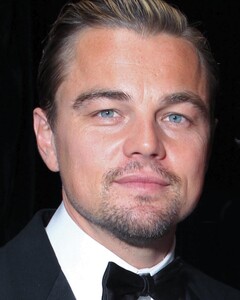
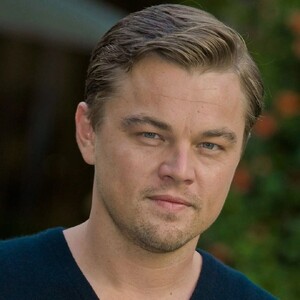
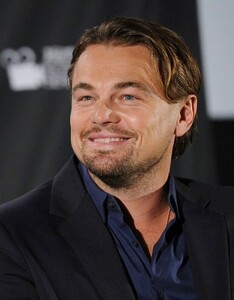
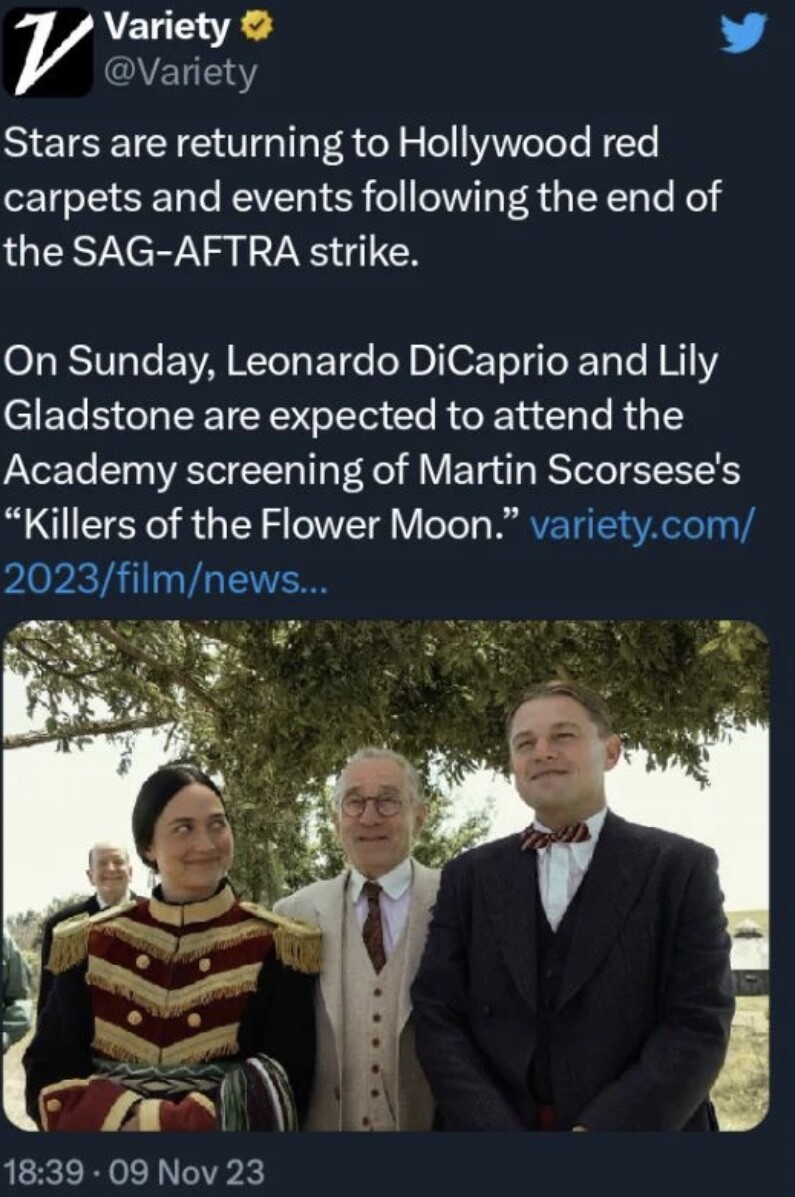
 Leo and Lily are expected to participate in a q&a on Sunday. Yay.
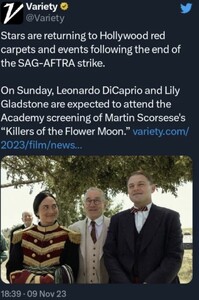 Leonardo DiCaprio reportedly attached to Paul Thomas Anderson’s next movie as plot details emerge Paul Thomas Anderson has been developing his next project for quite some time, with plenty of rumours swirling regarding an all-star cast said to consist of Leonardo DiCaprio, Regina Hall and more. As the SAG-AFTRA strike is still ongoing, nothing can officially be announced when it comes to the cast of Paul Thomas Anderson’s latest, but scooper Daniel Richtman claimed on Patreon that Leonardo DiCaprio is indeed still attached to the movie. It’s said to revolve around a young girl of mixed ethnicity who is physically athletic and excels at martial arts. DiCaprio will reportedly play her mentor. Plot details have been kept under wraps, but it’s been long-rumoured that the project will be an adaptation of Thomas Pynchon’s Vineland. Richtman’s plot description does seem to confirm that will be the case. He states that Regina Hall is attached to play DL Chastain, a character from the novel who is a martial arts expert and ninja. “She is the daughter of a military family that moves around the world,” reads the description. “While in Japan, she is approached by a martial arts instructor who teaches her the secret ways of the ninja, including how to kill with a touch that takes a year to work. She is recruited by mobster Ralph Wayvone to assassinate Brock Vond while posing as a prostitute, but accidentally gives the death touch to Takeshi Fumimota, who has been sent in Vond’s place after the plot was discovered. During a recent virtual talk with Paul Thomas Anderson (via World of Reel), the director stated that he hopes to shoot the film in late January, with production expected to take place in California, Mexico, and Texas. The setting is said to be contemporary, which could indicate a change from the original novel which takes place in 1984. Anderson has previously tackled the world of Thomas Pynchon before with Inherent Vice in 2014. It’s expected that the SAG strike will soon be resolved, so we should be hearing something more official regarding whether or not Leonardo DiCaprio will be joining Paul Thomas Anderson’s new movie. https://www.joblo.com/leonardo-dicaprio-paul-thomas-anderson-movie/
FINALLY!!! The strike is over. Now get to work Leo! https://www.instagram.com/p/CzaJoEfuJgS/?igshid=MzRlODBiNWFlZA==
Great analysis:
Warning for spoilers : “killers of the Flower Moon” : Q&A with Martin Scorsese and His Staff Q: How and when did you learn about the story and decide to bring it to the big screen? Martin Scorsese: I was given David Grann’s book back around 2016. I think we were about to do “The Irishman” around Los Angeles. I was thinking, after reading the book, of doing this first because of the CGI and the youth application process for The Irishman. Leo and I looked at each other, and we realized that, with Al Pacino, Joe Pesci, and Bob DeNiro… If we wait two years, it would be harder and more expensive to learn [the technology], so we better do it now. In the meantime, Eric [Roth, co-writer] and I were working on the script and I was drawn to it on one level, but the title itself, “Killers of The Flower Moon,” — having come up with “Silence” and the feminine nature of the moon, in the case of “Silence,” in terms of Christianity, the emphasis by the end, of the feminine nature of Jesus — that was interesting. Then you just supposed it with “The Killers of the Flower Moon,” that the title seemed to really conjure up images that I sort of slipped back into when I was younger. The western genre was so important to me — all sorts of westerns. When I was growing up, I ended up with “The Wild Bunch” with [director Sam] Peckinpah. but it’s a very different situation now. In any event, I was drawn to that to make a long story short. We tried to get a script from David Grann’s beautifully written book. The idea was of Leo Dicaprio playing [BOI agent] Tom White. As we worked on this over a period of a couple of years, I tried every possible angle to do something that I hadn’t already seen that I would be interested in directing. It just seemed to me that when the Bureau of Investigation comes into the small town of Fairfax or whatever, they try to uncover who did what. I said to Eric, it wasn’t a matter of who, it’s a matter of who didn’t. So I wanted it to be everybody’s collective guilt including ours. And ultimately, in meeting with the Osage, that was another big issue. I said right away that I had some experience with indigenous people and a native American reservation out in Pine Ridge back in 1974. It was a traumatic shock and I was too young. I didn’t quite understand it, but I never forgot the poverty, the anger, desperation and sadness of it. It stayed with me for years. Even here, in New York, I think it was the Harlem Tunnel. It used to have a stencil above it that says, “wheels over Indian trails” and as all the cars were going in, that thing stayed up for years until it finally washed away. But I’m getting to the point now. All this was on my mind for many, many years and with this, I felt a sense of obligation to what happened in the ’70s. In any event, I began. I said the first thing was that I had to meet the Osage and see what they wanted to do with this, which we did. We went there a number of times, and on one of those times, the people, the grey horse, gave us a very big dinner, like 300 people [were there]. Members of the community got up and spoke. Don’t forget, these are people who are still members of the family that you see in this picture — the Burkharts, the Roans, and so many others. So it’s an extremely sensitive situation. I wanted to get it right by them, but I also wanted to get the story right. During that time, a number of people got up and talked about the situation between Ernest and Mollie. Don’t forget, they said it wasn’t just the evil villains that [made up the story] — basically Ernest and Mollie were in love. That struck me saying, well, [Ernest] he’s in love. He’s maybe doing all these [horrible] things and yet she did stay with him until after the trial. Even the FBI guys were there, the investigation guys in David’s book. They said she was still there. She’s in the courtroom, she’s still with him. What is going on? What is going on isn’t doing well and how has that played out? Ultimately, we took the script as far as I could, coming from the other angle outside in. Leo and I looked at each other a week later and he said, “Where’s the real heart of the story? The heart of the story is that they love each other.” He said, “I should play the other part of Ernest.” I said, “Yeah, that would break it because we took it as far as I was concerned, took it to its limit from the other angle and it wasn’t good.” It’s just that I wouldn’t have interest in directing that [way]. I like seeing the police procedural, et cetera. I said, “But do you realize what that means? We’re going to go in now, take the middle of the script and rip it inside out.” We decided to stay with the project and rework the entire thing for the next year and a half. That’s what we learned from doing it. Q: How did this differ from any other project that you’ve worked on with Martin? Thelma Schoonmaker: Well, of course, wonderful richness and getting to understand something about the Osage culture was a great gift and it will be with me for a long time. That is the main difference. But I think the way that Marty wanted to let people absorb the characters so that the scenes are at a different pace, maybe, than some of [his] other films. People have been telling me recently how much they love that we settle in with a scene like the first dinner between Mollie and Ernest. They love that and I think that was one of the big pacing differences in the film. The great challenge of course, was to help figure out how to get the love story interwoven with the rest of the film. And you got tremendous help from Lily [Mollie] and Leo during the shooting. Martin Scorsese: We actually kept reworking the script with Lily and Leo… And the Osage were working with us — keeping it in order for me because there are so many duplications, repetitions and confusions. T shere were many things that we had to condense so many things from transcripts that I wanted to use; transcripts of what happened after the fact, and so it really was organic. To the very end, the last scene with De Niro and DiCaprio in the jail, that was written the day before. Thelma Schoonmaker: I [loved] the way the actors were working with Marty. Leo’s wonderful improvisation after he’s in bed with Mollie and she says she can’t sleep and he’s away too much — and he tells her he loves her and then, when she kisses him and wants to make love, he says, “Oh, you want to wake the kids up?” It captures it. I loved that. It’s a wonderful improv and, of course, I’ve worked on many movies of Marty’s with fantastic improv, which I love to cut. There wasn’t that much on this one. Martin Scorsese: I’m getting to the point where improv has been so confused as a word. It’s not really improvisation. It’s a behavior and if the people are together, they’re really working together. I’ve been in situations where people are not going to work together and you feel it. You see it here, they don’t improvise, they behave. Thelma Schoonmaker: When we had the first screening for the leaders of the Osage nation, there were six, I think, is that right? Something like six people [there]. The chief turned to Leo at the end of the movie and said, “You made a human being out of [him]. That was stunning. And we considered the horrible things that happened.” I think what Marty and the actors were doing throughout the shooting was writing — and rewriting was really critical. Then, of course, he wants to go back to her when Brendan Fraser [as Hale’s attorney] blows up the trial. He goes out into that big field with her and they need, that’s what he wanted to do — to go back to her. I was told he actually spent the night there. Martin Scorsese: Paramount backed out after I changed after we decided to change the approach to the story and go with Ernest’s [story]. They loved the original script. When I brought the first draft of the newer version [to them], understandably, they weren’t enthusiastic. I pointed out, no matter how many times you say this, if you do your own films and show rough cuts to somebody, you never know what they’ll perceive. You can talk about all the problems and, all of a sudden, it’s a rough cut. Don’t look at this. Then they see the movie when it’s finished and say, “Wow, what a difference.” You’re hardly changing that; you just finished it. I said, “I told you that this version is just the beginning and then what we’re going to do every day is work on it, go through it and work and change the script.” They had to back out, understandably too, they just couldn’t [believe it] and were enthusiastic, but they came back in though. One of the problems that we all had was the issue of COVID. And, we were up shooting in Oklahoma, of course, which was a great place to shoot. The only thing is — I would advise — being very careful because the summer months are extremely hot. It was 100 degrees and a lot of the scenes were done in 110 degrees. Actors were wearing three-piece suits. The native Americans were wearing three-piece suits plus blankets. There were some days that were extraordinarily difficult because of that, but we had no choice. Then we went back to Oklahoma in June to shoot. The reason we didn’t do it allegedly was that COVID was getting even worse. We couldn’t. We literally were like, “Now we’re out of there and we’ll come back with COVID.” That was it. Q: Ellen and Rene, as advocates for diversity, it’s rare to see indigenous people in roles that don’t necessarily call for indigenous people in other movies. One of the excuses is that you can’t find indigenous actors out there. Can you dispel that quickly? There are so many available and in bringing everyone together, especially Lily Gladstone. She’s great in the movie — she kills it as well. Ellen Lewis: I had worked with Rene on a previous project called “Godless,” a limited series. I knew that Rene knew about indigenous [people actors] and how everything had to be authentic because that’s how we do all the projects; that’s how we approach it. I called Renee immediately and said, “I hope you’re going to be available on the weekend, do this and use all your depth of knowledge.” We started early, and Renee started sending films to me so that I could familiarize myself. Lily [Gladstone] was somebody who Rene knew well. We’re in 2019. Before the pandemic started, Rene said to me about Lily and watching “Certain Women” — I had seen the film. It was great because, very early on, I was able to say to Marty, “Don’t worry about Mollie. I think we’re going to be OK because we knew what we were looking for.” What a relief and what a gift that Rene knows this community so well. We met so many wonderful actors during these open calls in Oklahoma that were amazing. The Osage and everybody in Oklahoma, were amazingly skilled actors. These are not unknown people. Rene Haynes: We had about maybe 63 credited characters in the films that were indigenous and only about 14 of them were actors that I had worked with or cast previously. About 39 of those were completely new discoveries from those open calls which were immensely successful. We’ve actually auditioned some of those actors since then for other things and the Osage community showed up for our open call. Then they really delivered on the screen. Martin Scorsese: There’s a person I want to point out. There’s a scene at a roundhouse where they [the Osage] are sending Barney McBride to London, I mean, no, Washington. There’s a guy who plays Chief Bonnicastle, Yancey Redcorn, and the guy next to him, the big guy, is Everett Waller as Paul Red Eagle. At one point, he started speaking. I said I needed a reaction from the people to what Yancey was saying. I walked off set for a second, and then, I heard this incredible speech being made. DeNiro came out and said, “Do you know what’s going on in there?” I looked, and he’s giving a rousing speech to the people I was going to photograph. I ran back in, and we started shooting him. I said, “I need you sitting down, can you do it sitting down?” What you see in the film — he makes two long speeches which are impromptu and unwritten — in which he talks about, [them] rolling over our dead babies. “The Osage are out there dying and I say, go out there and die with them, don’t let them die alone.” And we’re sitting there… This guy, it’s amazing. Many times we never asked for a great life. We would just ask for a life. We just asked him, so he speaks for everyone and we just let it run. The thing about that is the guy you said could be a problem. But I knew that I had that first. I had that first experience on Pine Ridge where everybody was like that. I didn’t know, I honestly didn’t think I was going to get out of your life in 1974. I’m a New York kid from… What am I doing here? Whatever, it’s that way. That’s why I say he’s tough. I said, “Go ahead, go get him,” and we just let him break and used every frame of that. Thelma Schoonmaker: His language was so poetic; he sort of massacres the English language in such a beautiful way. And he’s a lawyer, he represents the nation before the Supreme Court and things. Martin Scorsese: When we saw him — after he saw the film — it was very moving and we embraced. He said he had tears in his eyes. I wish my mother had seen this at all. Q: What did you draw on for inspiration for the indigenous costume dresses that were killer all throughout the movie. Are you going to release a line of Robert De Niro goggles [in the scene where he’s driving]? Is there a good line of clothing coming out soon? Jacqueline West: We relied on research, starting even before I came on. I’m an art historian. I love research. It’s my favorite part of starting the movie of actually crawling in and getting to live in another time. The photographs and all that but what’s novel about this project is that the Osage were the only people from, maybe the royal family in England, who could afford to make home movies at $1800 a minute. The home movies were absolutely revealing of how rich they were, not just economically, but how rich their lives were. Not only how they dressed, but the things that [they had] — all their accessories, their airplanes, cars and then you get to look at how they got dressed when they got in their cars, when they flew their planes, how they dressed for archery, for golf. And how their children dressed. They also loved family because family was so important to them. I could rely on the blankets, and get actual blankets from the time. All I had to do was send these archival photographs to them and they would reproduce them like the actual blankets that Mollie wore, that her sister wore and that Lizzie wore. I went from there, it was all about the research and making it authentic and then reading the beautiful script. That was pretty much finished when I came on. I read it like about seven times until I knew the characters. What I do, what I try to do when I join anything I’m working on is take them shopping. They dress themselves. When you’re dressing somebody from the inside out, the choices they’re going to make [are important]. That’s how I approached it. Julie O’Keefe: When I came on board, it was in March. Jacqueline had all of these different closets that she’d set up. I walked into the office, and, of course, for the Osage, there were many different ways that you can wear a blanket. For a man, it’s 44 different styles depending on the life event that’s happening to you. And for a woman, you can choose between blankets and shawls, depending on the weather, but it depends on what you’re doing. If you’re going to go do business in town, you may wear it one way. If you’re going to church, it may look different. When Lizzie Q dies and you see these black shawls they have on which were actually in a lot of these trunks, it was in my own family and you would open it up and you see all of these French cut jet beads that would be in rows. The gossip was the voice within our tribe was basically you can tell the wealth of a person by how many rows of beads are going down the back of that shawl. They’re putting them on and going into town. What I was struck by when I came into Jackie’s studio was the thousands and thousands of photographs that she had. The thing I loved best when I saw what she was going towards with the sisters was that you have Lizzie Q who didn’t grow up needing money. She would come off the buffalo trail where she basically hunted and then survived. You have a situation where you move from Missouri. We chose that place where we were because the buffalo went there. There were tall, six foot grasses with all these minerals under the ground. There was a water source. We had no idea that, later on, the government would come in and kill all the buffalo. That’s what we were thinking about — survival. You look at children being taken away to these military and missionary schools and they’re coming back. The thing that’s most striking is that you think that you have a person who’s native to a country that’s been taken out and made an immigrant in their own lands. You have English-speaking children coming back who have not been allowed to speak their language. They’re helping the parents survive just like we see today with immigrants that come over into our lands. You see how Anna, who’s the oldest, now has this life. Jackie takes her and puts her in contemporary clothing. She’s decided to commit to that and she’s moving forward. Most of the time, for women, it’s for safety. We’re trying to survive. You see Molly, she’s decided to stay traditional. She shows herself in these clothes and represents the world in her tradition. Then you see Rita and Minnie and they have contemporary clothing on. They still have this piece of Osage culture that they want to maintain. They represented that with a blanket around their modern clothing. You see that a lot even today. But these are the different ways of human struggle because you see a group, this family, trying to acclimate to a world that’s being forced on them. They’re trying to do that and emulate what they see around them. Q: Share with us what you want people to take from the movie, from this experience for you? Martin Scorsese: Well, for one thing, the point is to tell the story through the couple, through marriage. It’s the most intimate relationship anyone could have. There in the very secret intimacy of the kitchen and bedroom is this strong love, trust and betrayal all at once and how certain kinds of characters in the case, in the case of Ernest, who appeared to be a very weak man, could slowly slip into this corruption. I do think that when I said that it isn’t who did and didn’t do it — it’s all of us in a sense, in terms of one culture coming in from Europe. In a way, a lot of it has to do with complicity and how we let things slide and you accept a law be changed that shouldn’t be changed, whether it’s from the Supreme Court or from the Senate or Congress, how you accept that and then, OK, so there’s no more of this, they’re all over that state and are doing that. How did we let it slip and slide until finally we found out — we’re imprisoned in a way.That’s the same thing for Leo. The big problem is the corruption that exists in a society that isn’t rooted in a kind of morality or spirituality. I’m not talking about religion. I’m talking about spirituality. That’s where the corruption sets in and how to make our lives easier because we have to eat and we have to support families or we just have to live. We let things happen and I think that’s a lesson throughout history. It’s just a matter of saying, “Oh, this happened 100 years ago.” It’s 1921. To me, 1921 was only a few years ago and all of a sudden, it’s 100 years. All right. People think it’s a period piece. To me, it wasn’t that much of a period piece. I saw people behaving the way I grew up, seeing some people were behaving [badly] and how a whole nation could go that way. You know, that’s another issue and it’s always to be alert, to speak out and act against this kind of thing where you feel yourself becoming complicit, but people get tired. It’s understandable. You have to live, you have to feed your family, you get tired so you accept certain things. But, this is the great danger in life. https://cinemadailyus.com/interviews/killers-of-the-flower-moon-qa-with-martin-scorsese-and-his-staff/ Interesting that the “Oh, you want to wake the kids up?” line was also improvised by Leo. It fit very well in that scene 😊
Apple originally did not plan a (wide) release in theaters so they did not expect any profit. So everything the movie does at the box office is just a bonus. Additionally I think no promotion from the actors prevented a lot of sucess at the box office.
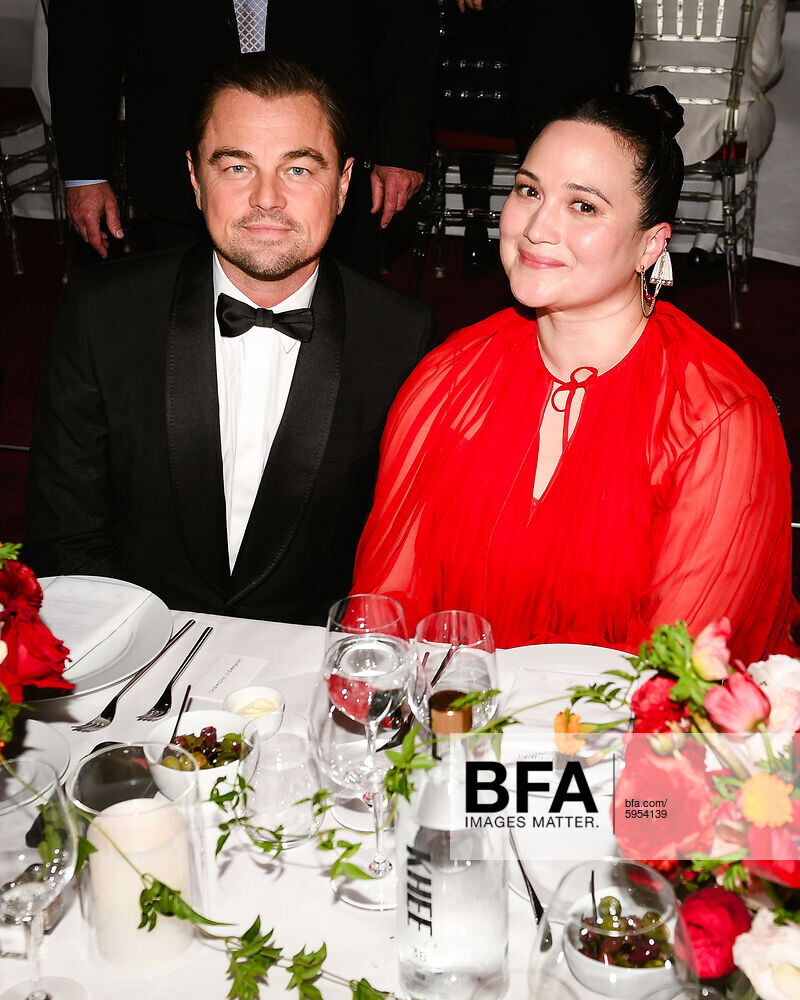
Higher quality pics from Justjared: https://www.justjared.com/2023/11/05/leonardo-dicaprios-girlfriend-vittoria-ceretti-joined-him-at-lacma-gala-but-they-avoided-photo-ops/
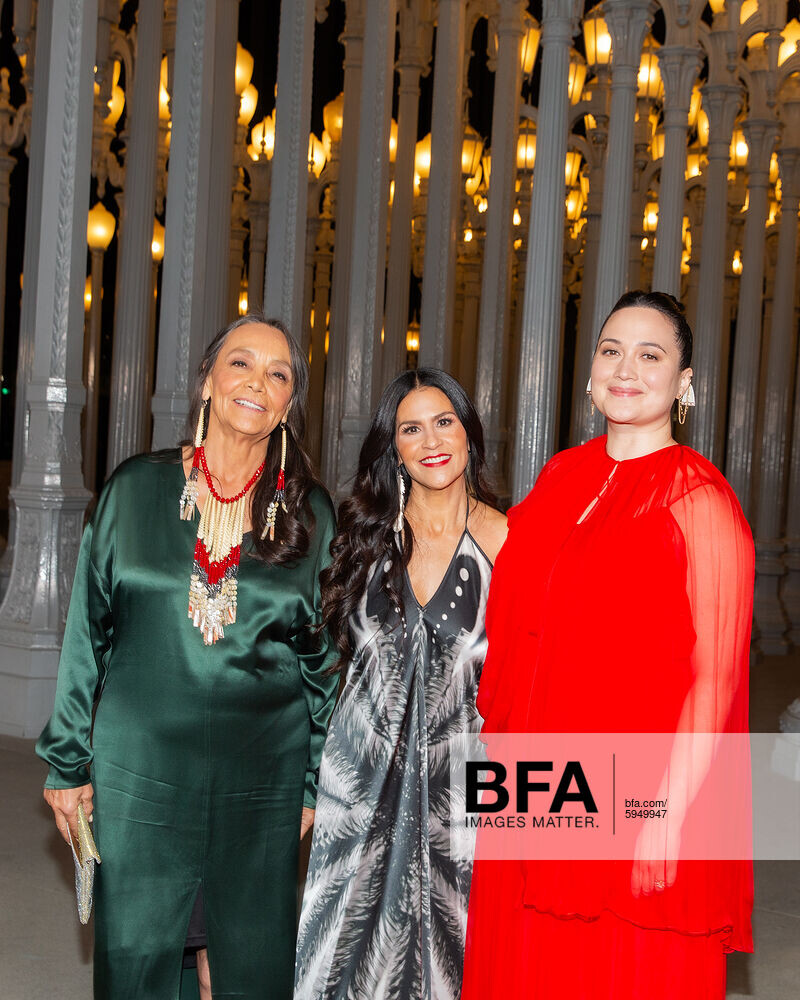
I finally found pics of my favourite duo 😍 Tantoo Cardinal was also there:
Leonardo DiCaprio reportedly attached to Paul Thomas Anderson’s next movie as plot details emerge Paul Thomas Anderson has been developing his next project for quite some time, with plenty of rumours swirling regarding an all-star cast said to consist of Leonardo DiCaprio, Regina Hall and more. As the SAG-AFTRA strike is still ongoing, nothing can officially be announced when it comes to the cast of Paul Thomas Anderson’s latest, but scooper Daniel Richtman claimed on Patreon that Leonardo DiCaprio is indeed still attached to the movie. It’s said to revolve around a young girl of mixed ethnicity who is physically athletic and excels at martial arts. DiCaprio will reportedly play her mentor. Plot details have been kept under wraps, but it’s been long-rumoured that the project will be an adaptation of Thomas Pynchon’s Vineland. Richtman’s plot description does seem to confirm that will be the case. He states that Regina Hall is attached to play DL Chastain, a character from the novel who is a martial arts expert and ninja. “She is the daughter of a military family that moves around the world,” reads the description. “While in Japan, she is approached by a martial arts instructor who teaches her the secret ways of the ninja, including how to kill with a touch that takes a year to work. She is recruited by mobster Ralph Wayvone to assassinate Brock Vond while posing as a prostitute, but accidentally gives the death touch to Takeshi Fumimota, who has been sent in Vond’s place after the plot was discovered. During a recent virtual talk with Paul Thomas Anderson (via World of Reel), the director stated that he hopes to shoot the film in late January, with production expected to take place in California, Mexico, and Texas. The setting is said to be contemporary, which could indicate a change from the original novel which takes place in 1984. Anderson has previously tackled the world of Thomas Pynchon before with Inherent Vice in 2014. It’s expected that the SAG strike will soon be resolved, so we should be hearing something more official regarding whether or not Leonardo DiCaprio will be joining Paul Thomas Anderson’s new movie. https://www.joblo.com/leonardo-dicaprio-paul-thomas-anderson-movie/
FINALLY!!! The strike is over. Now get to work Leo! https://www.instagram.com/p/CzaJoEfuJgS/?igshid=MzRlODBiNWFlZA==
Great analysis:
Warning for spoilers : “killers of the Flower Moon” : Q&A with Martin Scorsese and His Staff Q: How and when did you learn about the story and decide to bring it to the big screen? Martin Scorsese: I was given David Grann’s book back around 2016. I think we were about to do “The Irishman” around Los Angeles. I was thinking, after reading the book, of doing this first because of the CGI and the youth application process for The Irishman. Leo and I looked at each other, and we realized that, with Al Pacino, Joe Pesci, and Bob DeNiro… If we wait two years, it would be harder and more expensive to learn [the technology], so we better do it now. In the meantime, Eric [Roth, co-writer] and I were working on the script and I was drawn to it on one level, but the title itself, “Killers of The Flower Moon,” — having come up with “Silence” and the feminine nature of the moon, in the case of “Silence,” in terms of Christianity, the emphasis by the end, of the feminine nature of Jesus — that was interesting. Then you just supposed it with “The Killers of the Flower Moon,” that the title seemed to really conjure up images that I sort of slipped back into when I was younger. The western genre was so important to me — all sorts of westerns. When I was growing up, I ended up with “The Wild Bunch” with [director Sam] Peckinpah. but it’s a very different situation now. In any event, I was drawn to that to make a long story short. We tried to get a script from David Grann’s beautifully written book. The idea was of Leo Dicaprio playing [BOI agent] Tom White. As we worked on this over a period of a couple of years, I tried every possible angle to do something that I hadn’t already seen that I would be interested in directing. It just seemed to me that when the Bureau of Investigation comes into the small town of Fairfax or whatever, they try to uncover who did what. I said to Eric, it wasn’t a matter of who, it’s a matter of who didn’t. So I wanted it to be everybody’s collective guilt including ours. And ultimately, in meeting with the Osage, that was another big issue. I said right away that I had some experience with indigenous people and a native American reservation out in Pine Ridge back in 1974. It was a traumatic shock and I was too young. I didn’t quite understand it, but I never forgot the poverty, the anger, desperation and sadness of it. It stayed with me for years. Even here, in New York, I think it was the Harlem Tunnel. It used to have a stencil above it that says, “wheels over Indian trails” and as all the cars were going in, that thing stayed up for years until it finally washed away. But I’m getting to the point now. All this was on my mind for many, many years and with this, I felt a sense of obligation to what happened in the ’70s. In any event, I began. I said the first thing was that I had to meet the Osage and see what they wanted to do with this, which we did. We went there a number of times, and on one of those times, the people, the grey horse, gave us a very big dinner, like 300 people [were there]. Members of the community got up and spoke. Don’t forget, these are people who are still members of the family that you see in this picture — the Burkharts, the Roans, and so many others. So it’s an extremely sensitive situation. I wanted to get it right by them, but I also wanted to get the story right. During that time, a number of people got up and talked about the situation between Ernest and Mollie. Don’t forget, they said it wasn’t just the evil villains that [made up the story] — basically Ernest and Mollie were in love. That struck me saying, well, [Ernest] he’s in love. He’s maybe doing all these [horrible] things and yet she did stay with him until after the trial. Even the FBI guys were there, the investigation guys in David’s book. They said she was still there. She’s in the courtroom, she’s still with him. What is going on? What is going on isn’t doing well and how has that played out? Ultimately, we took the script as far as I could, coming from the other angle outside in. Leo and I looked at each other a week later and he said, “Where’s the real heart of the story? The heart of the story is that they love each other.” He said, “I should play the other part of Ernest.” I said, “Yeah, that would break it because we took it as far as I was concerned, took it to its limit from the other angle and it wasn’t good.” It’s just that I wouldn’t have interest in directing that [way]. I like seeing the police procedural, et cetera. I said, “But do you realize what that means? We’re going to go in now, take the middle of the script and rip it inside out.” We decided to stay with the project and rework the entire thing for the next year and a half. That’s what we learned from doing it. Q: How did this differ from any other project that you’ve worked on with Martin? Thelma Schoonmaker: Well, of course, wonderful richness and getting to understand something about the Osage culture was a great gift and it will be with me for a long time. That is the main difference. But I think the way that Marty wanted to let people absorb the characters so that the scenes are at a different pace, maybe, than some of [his] other films. People have been telling me recently how much they love that we settle in with a scene like the first dinner between Mollie and Ernest. They love that and I think that was one of the big pacing differences in the film. The great challenge of course, was to help figure out how to get the love story interwoven with the rest of the film. And you got tremendous help from Lily [Mollie] and Leo during the shooting. Martin Scorsese: We actually kept reworking the script with Lily and Leo… And the Osage were working with us — keeping it in order for me because there are so many duplications, repetitions and confusions. T shere were many things that we had to condense so many things from transcripts that I wanted to use; transcripts of what happened after the fact, and so it really was organic. To the very end, the last scene with De Niro and DiCaprio in the jail, that was written the day before. Thelma Schoonmaker: I [loved] the way the actors were working with Marty. Leo’s wonderful improvisation after he’s in bed with Mollie and she says she can’t sleep and he’s away too much — and he tells her he loves her and then, when she kisses him and wants to make love, he says, “Oh, you want to wake the kids up?” It captures it. I loved that. It’s a wonderful improv and, of course, I’ve worked on many movies of Marty’s with fantastic improv, which I love to cut. There wasn’t that much on this one. Martin Scorsese: I’m getting to the point where improv has been so confused as a word. It’s not really improvisation. It’s a behavior and if the people are together, they’re really working together. I’ve been in situations where people are not going to work together and you feel it. You see it here, they don’t improvise, they behave. Thelma Schoonmaker: When we had the first screening for the leaders of the Osage nation, there were six, I think, is that right? Something like six people [there]. The chief turned to Leo at the end of the movie and said, “You made a human being out of [him]. That was stunning. And we considered the horrible things that happened.” I think what Marty and the actors were doing throughout the shooting was writing — and rewriting was really critical. Then, of course, he wants to go back to her when Brendan Fraser [as Hale’s attorney] blows up the trial. He goes out into that big field with her and they need, that’s what he wanted to do — to go back to her. I was told he actually spent the night there. Martin Scorsese: Paramount backed out after I changed after we decided to change the approach to the story and go with Ernest’s [story]. They loved the original script. When I brought the first draft of the newer version [to them], understandably, they weren’t enthusiastic. I pointed out, no matter how many times you say this, if you do your own films and show rough cuts to somebody, you never know what they’ll perceive. You can talk about all the problems and, all of a sudden, it’s a rough cut. Don’t look at this. Then they see the movie when it’s finished and say, “Wow, what a difference.” You’re hardly changing that; you just finished it. I said, “I told you that this version is just the beginning and then what we’re going to do every day is work on it, go through it and work and change the script.” They had to back out, understandably too, they just couldn’t [believe it] and were enthusiastic, but they came back in though. One of the problems that we all had was the issue of COVID. And, we were up shooting in Oklahoma, of course, which was a great place to shoot. The only thing is — I would advise — being very careful because the summer months are extremely hot. It was 100 degrees and a lot of the scenes were done in 110 degrees. Actors were wearing three-piece suits. The native Americans were wearing three-piece suits plus blankets. There were some days that were extraordinarily difficult because of that, but we had no choice. Then we went back to Oklahoma in June to shoot. The reason we didn’t do it allegedly was that COVID was getting even worse. We couldn’t. We literally were like, “Now we’re out of there and we’ll come back with COVID.” That was it. Q: Ellen and Rene, as advocates for diversity, it’s rare to see indigenous people in roles that don’t necessarily call for indigenous people in other movies. One of the excuses is that you can’t find indigenous actors out there. Can you dispel that quickly? There are so many available and in bringing everyone together, especially Lily Gladstone. She’s great in the movie — she kills it as well. Ellen Lewis: I had worked with Rene on a previous project called “Godless,” a limited series. I knew that Rene knew about indigenous [people actors] and how everything had to be authentic because that’s how we do all the projects; that’s how we approach it. I called Renee immediately and said, “I hope you’re going to be available on the weekend, do this and use all your depth of knowledge.” We started early, and Renee started sending films to me so that I could familiarize myself. Lily [Gladstone] was somebody who Rene knew well. We’re in 2019. Before the pandemic started, Rene said to me about Lily and watching “Certain Women” — I had seen the film. It was great because, very early on, I was able to say to Marty, “Don’t worry about Mollie. I think we’re going to be OK because we knew what we were looking for.” What a relief and what a gift that Rene knows this community so well. We met so many wonderful actors during these open calls in Oklahoma that were amazing. The Osage and everybody in Oklahoma, were amazingly skilled actors. These are not unknown people. Rene Haynes: We had about maybe 63 credited characters in the films that were indigenous and only about 14 of them were actors that I had worked with or cast previously. About 39 of those were completely new discoveries from those open calls which were immensely successful. We’ve actually auditioned some of those actors since then for other things and the Osage community showed up for our open call. Then they really delivered on the screen. Martin Scorsese: There’s a person I want to point out. There’s a scene at a roundhouse where they [the Osage] are sending Barney McBride to London, I mean, no, Washington. There’s a guy who plays Chief Bonnicastle, Yancey Redcorn, and the guy next to him, the big guy, is Everett Waller as Paul Red Eagle. At one point, he started speaking. I said I needed a reaction from the people to what Yancey was saying. I walked off set for a second, and then, I heard this incredible speech being made. DeNiro came out and said, “Do you know what’s going on in there?” I looked, and he’s giving a rousing speech to the people I was going to photograph. I ran back in, and we started shooting him. I said, “I need you sitting down, can you do it sitting down?” What you see in the film — he makes two long speeches which are impromptu and unwritten — in which he talks about, [them] rolling over our dead babies. “The Osage are out there dying and I say, go out there and die with them, don’t let them die alone.” And we’re sitting there… This guy, it’s amazing. Many times we never asked for a great life. We would just ask for a life. We just asked him, so he speaks for everyone and we just let it run. The thing about that is the guy you said could be a problem. But I knew that I had that first. I had that first experience on Pine Ridge where everybody was like that. I didn’t know, I honestly didn’t think I was going to get out of your life in 1974. I’m a New York kid from… What am I doing here? Whatever, it’s that way. That’s why I say he’s tough. I said, “Go ahead, go get him,” and we just let him break and used every frame of that. Thelma Schoonmaker: His language was so poetic; he sort of massacres the English language in such a beautiful way. And he’s a lawyer, he represents the nation before the Supreme Court and things. Martin Scorsese: When we saw him — after he saw the film — it was very moving and we embraced. He said he had tears in his eyes. I wish my mother had seen this at all. Q: What did you draw on for inspiration for the indigenous costume dresses that were killer all throughout the movie. Are you going to release a line of Robert De Niro goggles [in the scene where he’s driving]? Is there a good line of clothing coming out soon? Jacqueline West: We relied on research, starting even before I came on. I’m an art historian. I love research. It’s my favorite part of starting the movie of actually crawling in and getting to live in another time. The photographs and all that but what’s novel about this project is that the Osage were the only people from, maybe the royal family in England, who could afford to make home movies at $1800 a minute. The home movies were absolutely revealing of how rich they were, not just economically, but how rich their lives were. Not only how they dressed, but the things that [they had] — all their accessories, their airplanes, cars and then you get to look at how they got dressed when they got in their cars, when they flew their planes, how they dressed for archery, for golf. And how their children dressed. They also loved family because family was so important to them. I could rely on the blankets, and get actual blankets from the time. All I had to do was send these archival photographs to them and they would reproduce them like the actual blankets that Mollie wore, that her sister wore and that Lizzie wore. I went from there, it was all about the research and making it authentic and then reading the beautiful script. That was pretty much finished when I came on. I read it like about seven times until I knew the characters. What I do, what I try to do when I join anything I’m working on is take them shopping. They dress themselves. When you’re dressing somebody from the inside out, the choices they’re going to make [are important]. That’s how I approached it. Julie O’Keefe: When I came on board, it was in March. Jacqueline had all of these different closets that she’d set up. I walked into the office, and, of course, for the Osage, there were many different ways that you can wear a blanket. For a man, it’s 44 different styles depending on the life event that’s happening to you. And for a woman, you can choose between blankets and shawls, depending on the weather, but it depends on what you’re doing. If you’re going to go do business in town, you may wear it one way. If you’re going to church, it may look different. When Lizzie Q dies and you see these black shawls they have on which were actually in a lot of these trunks, it was in my own family and you would open it up and you see all of these French cut jet beads that would be in rows. The gossip was the voice within our tribe was basically you can tell the wealth of a person by how many rows of beads are going down the back of that shawl. They’re putting them on and going into town. What I was struck by when I came into Jackie’s studio was the thousands and thousands of photographs that she had. The thing I loved best when I saw what she was going towards with the sisters was that you have Lizzie Q who didn’t grow up needing money. She would come off the buffalo trail where she basically hunted and then survived. You have a situation where you move from Missouri. We chose that place where we were because the buffalo went there. There were tall, six foot grasses with all these minerals under the ground. There was a water source. We had no idea that, later on, the government would come in and kill all the buffalo. That’s what we were thinking about — survival. You look at children being taken away to these military and missionary schools and they’re coming back. The thing that’s most striking is that you think that you have a person who’s native to a country that’s been taken out and made an immigrant in their own lands. You have English-speaking children coming back who have not been allowed to speak their language. They’re helping the parents survive just like we see today with immigrants that come over into our lands. You see how Anna, who’s the oldest, now has this life. Jackie takes her and puts her in contemporary clothing. She’s decided to commit to that and she’s moving forward. Most of the time, for women, it’s for safety. We’re trying to survive. You see Molly, she’s decided to stay traditional. She shows herself in these clothes and represents the world in her tradition. Then you see Rita and Minnie and they have contemporary clothing on. They still have this piece of Osage culture that they want to maintain. They represented that with a blanket around their modern clothing. You see that a lot even today. But these are the different ways of human struggle because you see a group, this family, trying to acclimate to a world that’s being forced on them. They’re trying to do that and emulate what they see around them. Q: Share with us what you want people to take from the movie, from this experience for you? Martin Scorsese: Well, for one thing, the point is to tell the story through the couple, through marriage. It’s the most intimate relationship anyone could have. There in the very secret intimacy of the kitchen and bedroom is this strong love, trust and betrayal all at once and how certain kinds of characters in the case, in the case of Ernest, who appeared to be a very weak man, could slowly slip into this corruption. I do think that when I said that it isn’t who did and didn’t do it — it’s all of us in a sense, in terms of one culture coming in from Europe. In a way, a lot of it has to do with complicity and how we let things slide and you accept a law be changed that shouldn’t be changed, whether it’s from the Supreme Court or from the Senate or Congress, how you accept that and then, OK, so there’s no more of this, they’re all over that state and are doing that. How did we let it slip and slide until finally we found out — we’re imprisoned in a way.That’s the same thing for Leo. The big problem is the corruption that exists in a society that isn’t rooted in a kind of morality or spirituality. I’m not talking about religion. I’m talking about spirituality. That’s where the corruption sets in and how to make our lives easier because we have to eat and we have to support families or we just have to live. We let things happen and I think that’s a lesson throughout history. It’s just a matter of saying, “Oh, this happened 100 years ago.” It’s 1921. To me, 1921 was only a few years ago and all of a sudden, it’s 100 years. All right. People think it’s a period piece. To me, it wasn’t that much of a period piece. I saw people behaving the way I grew up, seeing some people were behaving [badly] and how a whole nation could go that way. You know, that’s another issue and it’s always to be alert, to speak out and act against this kind of thing where you feel yourself becoming complicit, but people get tired. It’s understandable. You have to live, you have to feed your family, you get tired so you accept certain things. But, this is the great danger in life. https://cinemadailyus.com/interviews/killers-of-the-flower-moon-qa-with-martin-scorsese-and-his-staff/ Interesting that the “Oh, you want to wake the kids up?” line was also improvised by Leo. It fit very well in that scene 😊
Apple originally did not plan a (wide) release in theaters so they did not expect any profit. So everything the movie does at the box office is just a bonus. Additionally I think no promotion from the actors prevented a lot of sucess at the box office.
Higher quality pics from Justjared: https://www.justjared.com/2023/11/05/leonardo-dicaprios-girlfriend-vittoria-ceretti-joined-him-at-lacma-gala-but-they-avoided-photo-ops/
I finally found pics of my favourite duo 😍 Tantoo Cardinal was also there: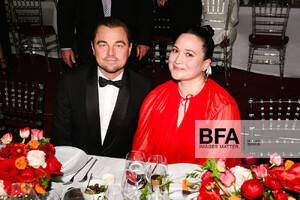
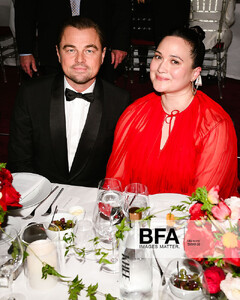
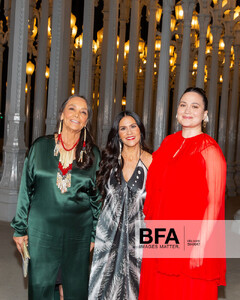 The killers gang reunited. No pics of Leo yet. Cara Jade Myers was also there: https://www.instagram.com/stories/cara.jade.myers/3229173971617862705/
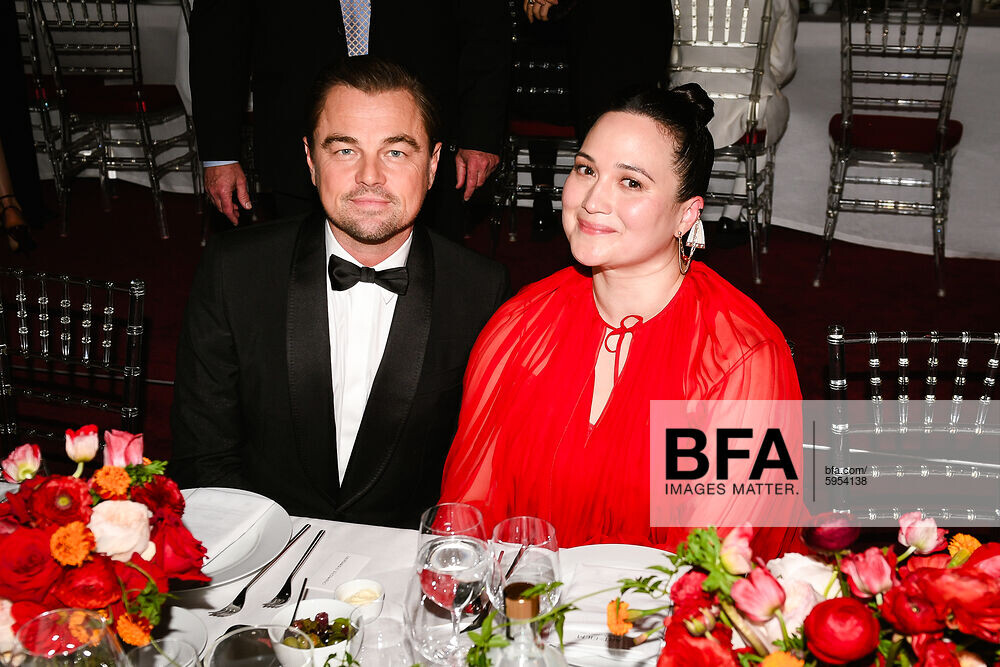
Leo and Lily at LACMA Gala: https://www.instagram.com/stories/daily_leo_dicaprio_fan_page/3229251369806653287/ I'm sure there will be more pics soon.
Yes please. More work for Leo!
I came acrosss this video from the premiere in Cannes. Look at the cute Leo and Lily holding hands moment at 6:35.🥰 So sad we didn't get more premieres.Let's hope the strike will finally end so they can campaign for awards and maybe there will be some Q&As or interviews...🙏
Complete KOTFM Soundtrack: https://music.apple.com/us/playlist/music-from-killers-of-the-flower-moon/pl.efdacb18367c4de4b912150247ef98ff
Shooting KOTFM https://www.instagram.com/p/Cys6jonr-UW/
The killers gang reunited. No pics of Leo yet. Cara Jade Myers was also there: https://www.instagram.com/stories/cara.jade.myers/3229173971617862705/
Leo and Lily at LACMA Gala: https://www.instagram.com/stories/daily_leo_dicaprio_fan_page/3229251369806653287/ I'm sure there will be more pics soon.
Yes please. More work for Leo!
I came acrosss this video from the premiere in Cannes. Look at the cute Leo and Lily holding hands moment at 6:35.🥰 So sad we didn't get more premieres.Let's hope the strike will finally end so they can campaign for awards and maybe there will be some Q&As or interviews...🙏
Complete KOTFM Soundtrack: https://music.apple.com/us/playlist/music-from-killers-of-the-flower-moon/pl.efdacb18367c4de4b912150247ef98ff
Shooting KOTFM https://www.instagram.com/p/Cys6jonr-UW/
Account
Navigation
Search
Configure browser push notifications
Chrome (Android)
- Tap the lock icon next to the address bar.
- Tap Permissions → Notifications.
- Adjust your preference.
Chrome (Desktop)
- Click the padlock icon in the address bar.
- Select Site settings.
- Find Notifications and adjust your preference.
Safari (iOS 16.4+)
- Ensure the site is installed via Add to Home Screen.
- Open Settings App → Notifications.
- Find your app name and adjust your preference.
Safari (macOS)
- Go to Safari → Preferences.
- Click the Websites tab.
- Select Notifications in the sidebar.
- Find this website and adjust your preference.
Edge (Android)
- Tap the lock icon next to the address bar.
- Tap Permissions.
- Find Notifications and adjust your preference.
Edge (Desktop)
- Click the padlock icon in the address bar.
- Click Permissions for this site.
- Find Notifications and adjust your preference.
Firefox (Android)
- Go to Settings → Site permissions.
- Tap Notifications.
- Find this site in the list and adjust your preference.
Firefox (Desktop)
- Open Firefox Settings.
- Search for Notifications.
- Find this site in the list and adjust your preference.