Skip to content

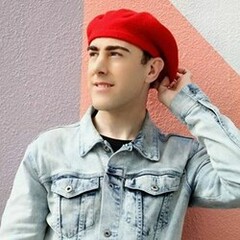
Ryan Kolton

Featured Replies

Ryan Kolton

U.S. model

goodtalentmanagement.com

http://www.instagram.com/ryanmkolton/


13226810_975054552613450_2851523012834061005_n.jpg Zara-Red-2-1292x1500.jpg Image hidden for guestsSign in to view Image hidden for guestsSign in to view Image hidden for guestsSign in to view 14925271_1123703747748529_370555471132952136_n.jpg 14938133_1122389604546610_2087837725419274744_n.jpg Image hidden for guestsSign in to view 14955959_1124737364311834_5803709429428191533_n.jpg 15192779_1136427869809450_4349604172114611905_n.jpg 15253348_1684763271815459_7385431878787923968_n.jpg 15267795_1152670268185210_8147951614083577620_n.jpg 15349697_1162593033859600_15098132362695574_n.jpg Image hidden for guestsSign in to view Image hidden for guestsSign in to view 01_MAL_9557.jpg 02_MAL_0133b.jpg 03_MAL_0584.jpg Image hidden for guestsSign in to view Image hidden for guestsSign in to view Image hidden for guestsSign in to view Image hidden for guestsSign in to view

Join the conversation

You can post now and register later. If you have an account, sign in now to post with your account.

Guest
Reply to this topic...

Recently Browsing 0

  • No registered users viewing this page.

Account

Navigation

Search

Search

Configure browser push notifications

Chrome (Android)
  1. Tap the lock icon next to the address bar.
  2. Tap Permissions → Notifications.
  3. Adjust your preference.
Chrome (Desktop)
  1. Click the padlock icon in the address bar.
  2. Select Site settings.
  3. Find Notifications and adjust your preference.