Skip to content

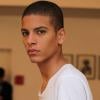
Zakaria Khiare

Featured Replies

^

I would actually love to see him walk for dolce&gabbana or D&G. He is beautiful enough to pull it off.

  • 2 months later...

^^^thanks.

& I guess I (or someone) needs to update the thread with his ss12 walks. He was really busy in milan.

  • 1 year later...

Soulland Spring 2012

Photographed by Nikolaj Moller

Image hidden for guestsSign in to viewImage hidden for guestsSign in to viewImage hidden for guestsSign in to viewImage hidden for guestsSign in to viewsoulland5.jpgImage hidden for guestsSign in to viewImage hidden for guestsSign in to viewImage hidden for guestsSign in to viewImage hidden for guestsSign in to viewImage hidden for guestsSign in to viewImage hidden for guestsSign in to view
tumblr_m73mm0t_KVS1qiomrko1_1280.jpg

Name: Zakaria

Last Name: Khiare

Eyes Color: Brown

Hair Color: Dark Brown

Height: 187 cm / 6'1 1/2

Date of Birth: February 25, 1992

Place of Birth: Copenhagen, Denmark

Nationality: Danish

Ethnicity: Arab (Moroccan)

Languages Spoken: Danish, English & a bit of Arabic

Siblings: ?

Hobbies: ?

Occupation: Model

Model Agencies: ?Ford Models (Europe), Unique Models (Copenhagen, Denmark), New York Models (NYC, USA) & FM Agency (London, UK)

Publication: 88 magazine 2011

post-47153-0-1446013988-18912_thumb.pngpost-47153-0-1446013988-24384_thumb.png
post-47153-0-1446013988-04532_thumb.jpg
post-47153-0-1446013988-07755_thumb.jpg
post-47153-0-1446013988-11141_thumb.jpg
post-47153-0-1446013988-14165_thumb.jpg
post-47153-0-1446013988-14842_thumb.jpg
post-47153-0-1446013988-15896_thumb.jpg
post-47153-0-1446013988-16914_thumb.jpg

Hotlinking from images hosted from private websites including facebook, twitter, tumblr, etc is not permitted. Please textlink or upload images from an image hosting site. For more information check HERE Edited by MauiKane

Join the conversation

You can post now and register later. If you have an account, sign in now to post with your account.

Guest
Reply to this topic...

Recently Browsing 0

  • No registered users viewing this page.

Account

Navigation

Search

Search

Configure browser push notifications

Chrome (Android)
  1. Tap the lock icon next to the address bar.
  2. Tap Permissions → Notifications.
  3. Adjust your preference.
Chrome (Desktop)
  1. Click the padlock icon in the address bar.
  2. Select Site settings.
  3. Find Notifications and adjust your preference.